Seek-Chat: DeepSeek System Requirements: RAM, VRAM, GPU & OS
Check DeepSeek requirements for web, mobile, API, LM Studio, Ollama, and local models, including practical RAM, VRAM, GPU, storage, and OS guidance. Local hardware guidance and NVIDIA/Ollama sources last verified: September 3, 2026. Hosted API catalog and FIM contract rechecked: September 7, 2026.
The DeepSeek system requirements depend on how you want to use it. If you use DeepSeek through the web app, mobile app, or API, you do not need a powerful computer or a dedicated GPU. A modern browser, compatible phone, or server-side API client is usually enough. If you want to run DeepSeek locally, however, the requirements change dramatically because they depend on the model size, quantization level, context length, inference engine, RAM, VRAM, and whether you are using a small distilled model or a full-scale DeepSeek model.
DeepSeek V4 is available through DeepSeek’s web, app, and API channels, and DeepSeek’s own site links users to chat, API access, and the app from its product page. This guide covers DeepSeek web requirements, DeepSeek app requirements, DeepSeek API requirements, DeepSeek PC requirements, DeepSeek Mac requirements, GPU, VRAM, RAM, storage, Windows, macOS, Linux, and local deployment.
Quick Answer: What Do You Need to Use DeepSeek?
For most users, the easiest way to use DeepSeek is through the web app, mobile app, or API. Local deployment is mainly for developers, researchers, privacy-focused users, and teams that want to run open-weight models on their own hardware.
| Use Case | Minimum Requirements | Recommended Setup | Best For |
|---|---|---|---|
| DeepSeek Web | Modern browser, internet connection | Updated Chrome, Edge, Safari, or Firefox; stable broadband | Casual users, students, writers, coding help |
| DeepSeek Mobile App | Compatible iOS/iPadOS or Android device | iOS 15.0+ or iPadOS 15.0+; check Google Play for Android device compatibility | Phone and tablet users |
| DeepSeek API | API key, HTTPS client, internet connection | Backend app, usage monitoring, token budget controls | Developers and production apps |
| Local R1 1.5B/7B/8B Q4 | 8GB RAM is constrained; 16GB is the practical starting point | 16GB+ RAM; 8GB GPU or Apple Silicon is a candidate to test at modest context | Local beginners and modest laptops |
| Local 14B/32B Q4 | 24–32GB RAM for 14B; 32GB experimental or 64GB safer for 32B offload | 12–16GB VRAM for 14B; 24–32GB VRAM for 32B, depending on context | Larger distilled-model testing |
| Local 70B Q4 | 64GB RAM is constrained; 128GB gives safer CPU/offload margin | 48GB VRAM is tight; 64–80GB+ offers more usable headroom | Advanced local inference |
| Full V4/R1/V3-class models | Not realistic for normal laptops | Multi-GPU workstation/server/data-center setup | Labs, enterprise, infrastructure teams |
These are practical recommendations, not official minimum hardware requirements. DeepSeek publishes official model sizes, API details, app compatibility, and model availability, but local hardware needs vary heavily by quantization, runtime, context length, batch size, and performance expectations.
DeepSeek system requirements by use case
1. DeepSeek Web Requirements
The web version has the lightest DeepSeek hardware requirements. You do not need to install model files, buy a GPU, or configure a local inference server. The model runs on DeepSeek’s infrastructure, while your device only needs to handle the browser interface.
For DeepSeek web chat, you generally need:
| Requirement | Practical Recommendation |
|---|---|
| Browser | Latest Chrome, Edge, Safari, Firefox, or another modern browser |
| Internet | Stable connection; faster is better for long responses and file uploads |
| CPU/RAM | Any modern laptop, desktop, tablet, or phone that can browse comfortably |
| GPU | Not required |
| Storage | Minimal, mostly browser cache |
| Account | May be required depending on region, feature, and availability |
DeepSeek’s homepage links to free chat access through the official chat product, and the V4 release notes state that V4 Preview can be tried at chat.deepseek.com through Expert Mode and Instant Mode.
For most users searching for DeepSeek system requirements, the answer is simple: if you are using DeepSeek online, your computer does not run the model locally. Your device only needs to run the website smoothly.
2. DeepSeek Mobile App Requirements
DeepSeek also has an official mobile app. The current App Store listing requires iOS 15.0 or later for iPhone and iPod touch, and iPadOS 15.0 or later for iPad. App size changes between releases, so check the live listing for the current download size before installation.
| Platform | Official / Practical Requirement |
|---|---|
| iPhone | iOS 15.0 or later |
| iPad | iPadOS 15.0 or later |
| iPod touch | iOS 15.0 or later |
| Android | Use the official Google Play listing and check compatibility on your device |
| Internet | Required for normal app usage |
| Storage | Enough free space for the app and updates |
For Android, use the official Google Play listing and run its compatibility check on the target device. Android requirements and release dates can change by device, region, and app version, so this guide does not freeze a minimum Android version or store-update date.
The key point is that DeepSeek app requirements are light compared with local deployment. Your phone is not loading a 7B, 70B, or 671B parameter model into memory; it is connecting to DeepSeek’s hosted service.
3. DeepSeek API Requirements
DeepSeek API requirements are also much lighter than local model requirements. You do not need a local GPU because inference happens through DeepSeek’s API infrastructure. Developers need an API key, an application or server environment, a secure HTTPS client, logging, and token usage controls.
DeepSeek’s current Models & Pricing table lists deepseek-v4-flash (Public Beta), deepseek-v4-pro (GA), and the experimental deepseek-v4-flash-vision-exp. All three support thinking and non-thinking modes, a 1M-token context window, up to 384K model output, JSON Output, Tool Calls, Responses, Anthropic-compatible Messages, and Chat Prefix Completion. Flash and Pro are text-to-text routes; Vision Exp accepts supported images with text and returns text.
Current FIM contract (rechecked August 24, 2026): The governing Models & Pricing matrix documents FIM Completion for deepseek-v4-flash and deepseek-v4-pro in non-thinking mode only; deepseek-v4-flash-vision-exp does not support FIM. FIM uses the beta base URL https://api.deepseek.com/beta and the /completions endpoint, with a 4K maximum output. The FIM guide names Pro in its sample request, but that example is not a model-eligibility matrix.
| API Requirement | Recommendation |
|---|---|
| API key | Use the official DeepSeek platform |
| Model names | Use deepseek-v4-flash or deepseek-v4-pro for text; use deepseek-v4-flash-vision-exp for supported image understanding with text output |
| Network | Reliable outbound HTTPS access |
| Runtime | Node.js, Python, Go, Java, PHP, or any HTTPS-capable stack |
| Monitoring | Track input/output tokens, latency, and costs |
| Security | Do not expose API keys in frontend code |
| Budgeting | Add rate limits, alerts, and usage caps |
DeepSeek’s V4 release note told developers to retain the base URL and move to deepseek-v4-pro or deepseek-v4-flash. Its announced cutoff for deepseek-chat and deepseek-reasoner passed on July 24, 2026. After the August 21, 2026 Vision release, the governing Models & Pricing table lists those two text models plus the experimental deepseek-v4-flash-vision-exp image-understanding route. The static model-list example may still show two IDs and should not be treated as the governing catalog.
For developers, the API is usually the best balance of performance, scale, and simplicity. You avoid local GPU setup while still gaining access to DeepSeek’s current model lineup.
DeepSeek Local System Requirements
Local deployment is different from using DeepSeek through the web, mobile app, or API. A local runtime must load the exact checkpoint, allocate memory for the KV cache and runtime buffers, and decide whether layers stay on the GPU or are offloaded to system RAM. That is why there is no single official “minimum PC” for every DeepSeek model.
How to read the estimates below: They are independent planning estimates from Seek-Chat.com, not official DeepSeek or NVIDIA minimum requirements and not benchmark results. Unless a row says otherwise, assume one user, a current Ollama release, a Q4_K_M DeepSeek-R1 Distill package, a short-to-moderate context, no batching, and either full GPU loading or the offload mode stated. Exact results change with the checkpoint, quantization, runtime version, context, batch/concurrency, and GPU layers.
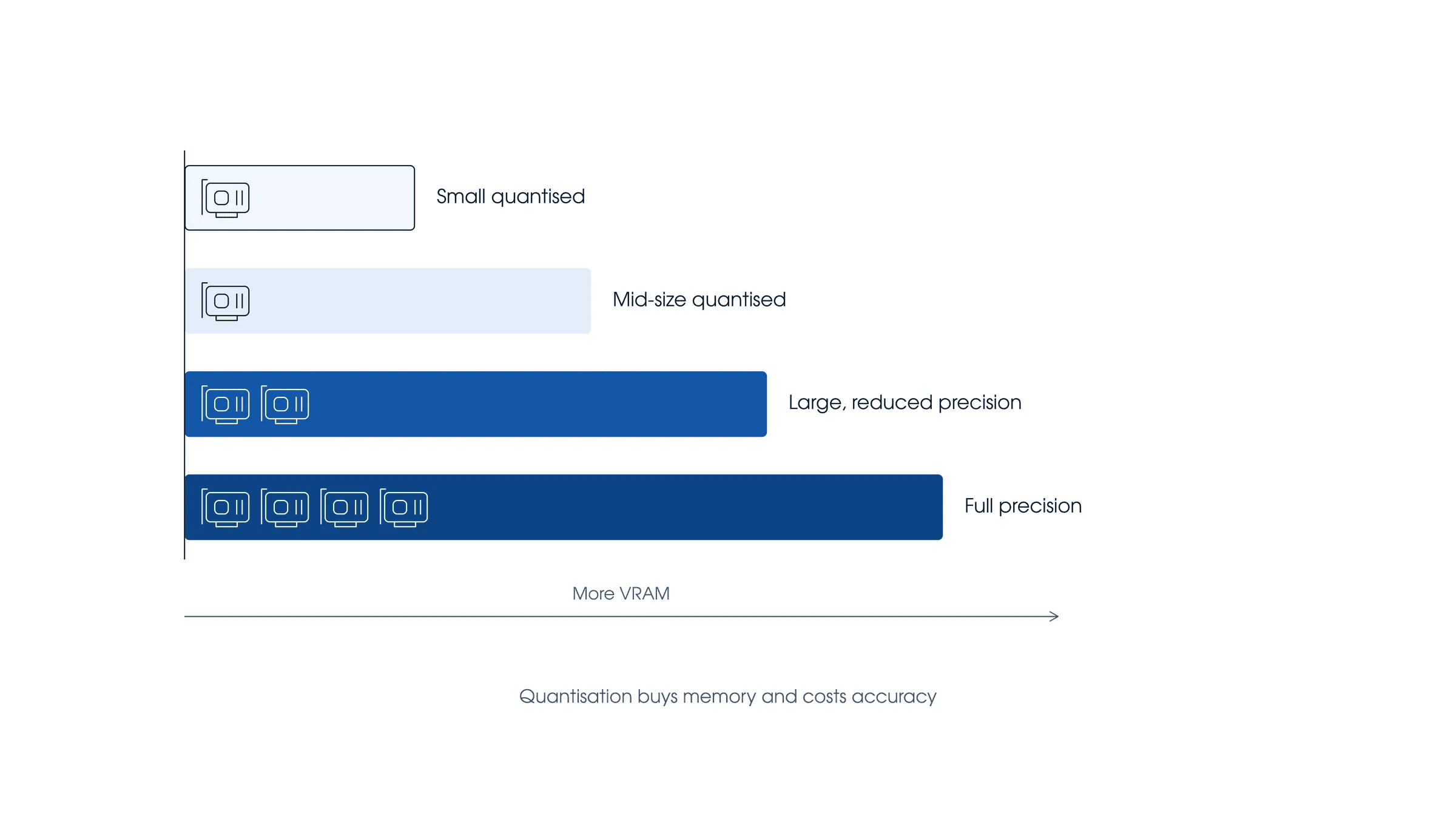
Do not treat “model file size” as “required VRAM.” A package also needs runtime buffers and KV-cache memory, while some runtimes can split the model between VRAM and system RAM. A configuration can therefore download successfully but fail to load, or load only after slower CPU offload.
| Factor | Why it changes the result |
|---|---|
| Exact checkpoint and tag | Two models with the same parameter count can use different formats and package sizes. |
| Quantization | Q4 usually needs less weight storage than Q8 or FP16, but metadata, scales and higher-precision tensors add overhead. |
| Context length | More tokens require a larger KV cache. |
| Runtime and version | Ollama, llama.cpp, LM Studio, MLX, vLLM and SGLang have different backends and memory behavior. |
| GPU offload | Partial offload can make a larger model load, but it normally adds latency and reduces throughput compared with full GPU offload on the same system. |
| Batch and concurrency | Parallel requests require more memory than one interactive session. |
DeepSeek R1 Package Sizes and Practical Starting Points
The official DeepSeek-R1 model card lists the full 671B MoE model and distilled checkpoints at 1.5B, 7B, 8B, 14B, 32B and 70B. The table below uses the current Ollama DeepSeek-R1 tags as concrete examples. Their listed sizes are download/model-package sizes—not a guarantee that the same amount of VRAM is sufficient at every context.
| Example Q4_K_M tag | Listed package size | Practical starting point | Important limit |
|---|---|---|---|
| 1.5B | About 1.1GB | 8GB system RAM can be enough for a constrained CPU test; 16GB is easier to work with. | Small footprint does not guarantee useful quality or speed for your task. |
| 7B | About 4.7GB | 16GB system RAM; an 8GB RTX GPU is a reasonable candidate for full GPU loading at modest context. | Leave memory for the KV cache and runtime. |
| 8B | About 4.9–5.2GB, depending on the tag | 16GB system RAM; 8GB VRAM is a practical test target at modest context. | Q8 variants are materially larger than these Q4 examples. |
| 14B | About 9.0GB | 24–32GB system RAM; 12GB VRAM may work with limited context, while 16GB gives more margin. | A 12GB card is not a universal guarantee; verify the exact tag and context. |
| 32B | About 20GB | 32GB RAM is experimental for offload; 64GB is safer. A 24GB GPU is plausible at modest context, while 32GB leaves more headroom. | Twenty gigabytes of weights leave little room on a 24GB card for KV cache and runtime buffers. |
| 70B | About 43GB | 64GB RAM may load a constrained CPU/offload setup; 128GB is safer. For mostly/full GPU loading, 64–80GB+ VRAM provides more practical margin than 48GB. | On 48GB VRAM, the listed weights leave only about 5GB before context and runtime overhead. |
These rows describe fit, not performance. Seek-Chat.com has not benchmarked every GPU/checkpoint combination in this table, so terms such as “fast,” “comfortable,” or “best GPU” would be misleading without a reproducible test. A publishable speed claim needs the exact GPU SKU, driver, runtime version, model digest/tag, quantization, context and prompt length, batch size, GPU-layer split, power limit, prompt-evaluation speed and decode speed.
DeepSeek V4 Hardware Requirements
DeepSeek V4 is a different hardware class from R1 Distill 7B–70B. The official V4 model card describes V4-Flash as a 284B total-parameter / 13B activated-parameter MoE model and V4-Pro as a 1.6T / 49B activated model, with a one-million-token maximum context. The released instruct checkpoints use mixed precision rather than a simple uniform “four bits per parameter” format.
For that reason, multiplying parameter count by 0.5 bytes is only naïve nominal weight-payload arithmetic; it is not the checkpoint size and not runnable-memory guidance. Full V4-Flash or V4-Pro deployment remains a specialist multi-GPU or server project. An RTX 5090 or RTX PRO 6000 can run many smaller DeepSeek workloads, but neither turns a single desktop GPU into a complete full-V4 system. If you use DeepSeek V4 through the hosted web app or API, your local device does not need to hold those weights.
NVIDIA RTX Compatibility by VRAM
This section preserves the useful NVIDIA intent from our former standalone RTX guide. NVIDIA’s published specifications confirm the VRAM shown below: the RTX 3060 is sold with 8GB or 12GB, the RTX 3090 has 24GB, the RTX 4090 has 24GB, the RTX 5090 has 32GB, and the RTX PRO 6000 Blackwell family has 96GB. Partner cards and laptop GPUs can differ, so verify the exact product you own.
| Exact GPU | Published VRAM | Q4 candidate to test | Expected fit mode and limit |
|---|---|---|---|
| RTX 3060 | 8GB or 12GB | 7B/8B on 8GB; 8B and possibly 14B on 12GB | Use modest context. The 14B package is about 9GB, so a 12GB card can be tight after overhead; 32B does not fit fully. |
| RTX 3090 | 24GB | 14B; 32B is plausible | A 20GB 32B package leaves limited VRAM for KV cache and buffers. Verify the exact context; do not assume every 32B build fits. |
| RTX 4090 | 24GB | 14B; 32B is plausible | The fit constraint is similar to the RTX 3090 because both have 24GB. We make no unmeasured speed claim. |
| RTX 5090 | 32GB | 32B with more headroom | The 70B Q4 package is about 43GB, so it cannot fit fully in 32GB; it needs CPU/RAM offload or a smaller/lower-bit build. Full V4-Flash/Pro is not a one-card workload. |
| RTX PRO 6000 Blackwell | 96GB | 70B Q4 is a practical candidate | More VRAM leaves room for weights, context and runtime buffers, but full V4 still requires specialist infrastructure. Validate the exact workstation/server edition and software stack. |
Can an RTX 3060 run DeepSeek?
Yes, for smaller distilled and quantized models. An RTX 3060 8GB is a sensible candidate for R1 Distill 7B/8B Q4 at modest context. The 12GB version has more margin and may load the 14B Q4 example, but the 9GB package plus KV cache and runtime overhead can still make it tight. It is not a full-GPU target for the 20GB 32B package.
Can an RTX 4090 run DeepSeek locally?
Yes. Its 24GB VRAM makes 14B Q4 straightforward to test and 32B Q4 plausible at modest context. Because the example 32B package is about 20GB, do not promise that every runtime, context or concurrent workload will remain fully on the GPU. Use ollama ps or the equivalent runtime log to confirm the actual processor split.
Can an RTX 5090 run DeepSeek V4 or V4 Flash?
An RTX 5090 can run smaller DeepSeek models and gives a 32B Q4 workload more memory margin than a 24GB card. It cannot hold the listed 43GB R1 70B Q4 package entirely in its 32GB VRAM, and it is not a single-GPU solution for the full official DeepSeek V4-Flash or V4-Pro checkpoints. Results advertised as “V4 on a 5090” must name the exact derivative, quantization, runtime and offload configuration; they should not be generalized to the full official model.
Can an RTX PRO 6000 run DeepSeek?
The 96GB RTX PRO 6000 Blackwell has enough published VRAM to be a credible candidate for a 70B Q4 workload with room beyond the listed 43GB package size. That does not make it a complete one-card V4 workstation. Context, runtime buffers, concurrency and checkpoint precision still matter, and multi-GPU/server infrastructure remains the realistic class for full V4 deployment.
Ollama and NVIDIA Driver Requirements
According to Ollama’s current hardware-support page, NVIDIA support requires compute capability 5.0 or newer and driver 550 or newer; GPUs with compute capability 5.0 through 6.2 require driver 570 or newer. The RTX 30, 40 and 50 series and RTX PRO 6000 Blackwell are listed as supported NVIDIA families. Check the live documentation when you install because driver requirements can change.
For a step-by-step install, use our tested local installation guide. After starting a model, verify offload instead of assuming that visible VRAM usage proves full acceleration:
# Confirm the NVIDIA driver and GPU
nvidia-smi

# Start a concrete smaller model
ollama run deepseek-r1:8b

# Check the PROCESSOR and CONTEXT columns
ollama ps
In ollama ps, the PROCESSOR column shows whether the model is on the GPU, CPU, or split between them. For continuous NVIDIA monitoring, Windows users can run nvidia-smi -l 1; a Linux shell can use watch -n 1 nvidia-smi. Monitoring alone does not replace the runtime’s offload report.
Context Length, KV Cache and Offload
A model fitting at 4K context does not prove that it fits at 32K, 64K or its theoretical maximum. Ollama currently defaults context by available VRAM: under 24GiB uses 4K, 24–48GiB uses 32K, and 48GiB or more uses 256K. Ollama also states that increasing context increases memory use and recommends checking both context and processor split with ollama ps.
Use the shortest context that actually supports the task, then increase it while watching memory and offload. If a configuration fails, use a smaller model, use a lower-bit quantization (for example Q4 instead of Q8), reduce context, reduce concurrency, or deliberately move some layers to system RAM. Record the exact configuration so the result can be reproduced.
DeepSeek RAM and Storage Requirements
| Local target | System RAM planning range | Why |
|---|---|---|
| 1.5B Q4 | 8GB constrained; 16GB preferred | Leaves room for the OS and runtime. |
| 7B/8B Q4 | 16GB starting point; 32GB if using CPU offload or other tools | The package is roughly 4.7–5.2GB, but the whole system needs more. |
| 14B Q4 | 24–32GB | The 9GB package plus OS, cache and runtime makes 16GB tight. |
| 32B Q4 | 32GB experimental; 64GB safer for CPU/partial offload | The package itself is about 20GB. |
| 70B Q4 | 64GB constrained; 128GB gives more realistic margin | The package is about 43GB before context and runtime overhead. |
Keep SSD space for the selected model, a second version during updates, temporary downloads and normal free-space headroom. Do not infer storage from parameter count alone; check the exact published files or runtime tag. SSD storage is strongly preferred when loading or offloading large models.
Windows, macOS and Linux Requirements
Windows
For Windows, a modern 64-bit PC is recommended. Local tools such as Ollama, LM Studio, Jan, llama.cpp builds, and vLLM-based setups can be used depending on your model and hardware. For consumer Windows systems, DeepSeek PC requirements usually come down to RAM, GPU VRAM, CPU instruction support, and drivers.
LM Studio requirements checked July 28, 2026: LM Studio’s current documentation supports Apple Silicon Macs running macOS 14 or later and recommends at least 16 GB RAM; Intel Macs are not supported. Windows x64 requires AVX2; Windows x64 and ARM are supported, and at least 16 GB RAM plus 4 GB dedicated VRAM are recommended. Linux supports x64 and ARM64, with Ubuntu 20.04 or later documented. These are LM Studio application requirements, not universal requirements for every DeepSeek checkpoint.
macOS
For DeepSeek Mac requirements, Apple Silicon is the most important factor. Apple’s unified memory architecture can be useful for local LLMs because CPU and GPU share a large memory pool. LM Studio’s docs list Apple Silicon M1/M2/M3/M4, macOS 14.0 or newer, and 16GB+ RAM recommended; they also note that 8GB Macs may work with smaller models and modest context sizes.
For local DeepSeek on Mac, small R1 distilled models are the realistic starting point. Larger 32B or 70B models require much more unified memory and patience. MLX-based builds can be helpful on Apple Silicon, but exact performance depends on the model format and runtime.
Linux
Linux is usually the best operating system for advanced DeepSeek GPU deployment, especially if you are using server GPUs, CUDA, ROCm, vLLM, SGLang, Docker, or multi-GPU inference. For simple local chat, Linux can run smaller quantized models just like Windows and macOS. For production workloads, Linux offers the strongest tooling around drivers, inference servers, observability, and automation.
Can You Run DeepSeek Without a GPU?
Yes, but it depends on what you mean by “run DeepSeek.”
You can use DeepSeek web, mobile app, and API without a local GPU because the model runs on remote infrastructure. You can also run small quantized local models on CPU-only hardware, especially 1.5B, 7B, or 8B distilled models, but generation may be slow.
For full DeepSeek-R1, full DeepSeek-V3-class models, or DeepSeek V4-Pro/V4-Flash, CPU-only local deployment is not realistic for normal users at useful speed. Even if a heavily quantized model can technically load with offloading, the experience may be too slow for daily use.
Which DeepSeek Model Should You Choose?
Choose the model based on your goal, not just the largest number.
| User Type | Best Choice |
|---|---|
| Casual users | DeepSeek web or mobile app |
| Students and writers | Web/app, or API if building tools |
| Developers | DeepSeek API: Flash or Pro for text; Vision Exp for supported image understanding |
| Local beginners | R1 Distill 7B or 8B |
| Low-end local testing | R1 Distill 1.5B |
| Better local reasoning | R1 Distill 14B or 32B if hardware allows |
| Heavy local users | R1 Distill 70B with workstation hardware |
| Enterprise/local lab | Full R1/V3/V4-class models only with proper server infrastructure |
For most readers, the best recommendation is: use DeepSeek online or through the API unless you specifically need local inference. If you do need local inference, start with a small distilled R1 model before attempting larger models.
Common Problems and Fixes
| Problem | Likely Cause | Fix |
|---|---|---|
| Out of memory | Model too large, context too long, not enough RAM/VRAM | Use a smaller model, use a lower-bit quantization (for example Q4 instead of Q8), or reduce context |
| Model loads slowly | Large file, slow disk, CPU loading | Use SSD, smaller quantized model, GPU offload |
| Very slow generation | CPU-only inference or too much offloading | Use GPU acceleration or smaller model |
| Context too large | KV cache exceeds memory | Lower context length |
| GPU not detected | Driver/runtime mismatch | Update CUDA/ROCm/Metal/Vulkan drivers and tool versions |
| App/API confusion | User expects local model but uses hosted app | Explain web/app/API do not require local GPU |
| Using old model names | deepseek-chat or deepseek-reasoner still in code | Replace retired aliases with an explicit current ID: Flash or Pro for text, or Vision Exp when supported image input is required |
| Storage fills up | Multiple model files and quantizations | Delete unused variants and keep free SSD space |
Final Verdict
The DeepSeek system requirements are light if you use DeepSeek online through the web app, mobile app, or API. In those cases, you do not need a high-end PC, large RAM, or a dedicated GPU. You only need a compatible device, internet access, and, for API use, a proper developer setup.
Local DeepSeek requirements scale dramatically. Small distilled R1 models can run on ordinary PCs and laptops, especially in quantized form. The 7B and 8B models are the best entry point for most local users. The 14B and 32B models benefit from stronger GPUs or Apple Silicon unified memory. The 70B model is workstation-class. Full DeepSeek V4, R1, V3, V3.1, or V3.2-class models are not realistic for normal consumer laptops and should be treated as advanced workstation, server, or data-center workloads.
Disclaimer: Local hardware requirements vary by model size, quantization, runtime, context length, batch size, CPU/GPU offloading, and performance expectations. Use the recommendations above as practical estimates, not fixed official minimums.
FAQs
What are the minimum DeepSeek system requirements?
For web or mobile use, you need a compatible browser or mobile device and an internet connection. For API use, you need an API key and a server or app that can make HTTPS requests. For local use, requirements start around 8GB RAM for very small distilled models and increase sharply for larger models.
Do I need a GPU to use DeepSeek?
No, you do not need a GPU to use DeepSeek through the web app, mobile app, or API. You only need a GPU if you want faster local inference or want to run larger local models.
Can I run DeepSeek on 8GB RAM?
Yes, but only in limited cases. An 8GB RAM machine may run a small quantized 1.5B model and possibly some 7B models with modest context, but performance may be slow. For a better local experience, 16GB RAM or more is recommended.
Can I run DeepSeek on a laptop?
Yes. Any modern laptop can use DeepSeek through the web, app, or API. For local inference, laptops are best suited to small distilled models such as R1 1.5B, 7B, or 8B. Larger models need more RAM, VRAM, or Apple Silicon unified memory.
What are DeepSeek R1 system requirements?
Full DeepSeek-R1 is a 671B total parameter MoE model with 37B activated parameters and 128K context length, so it is not a normal consumer laptop workload. Most local users should choose R1 distilled models such as 1.5B, 7B, 8B, 14B, 32B, or 70B.
What are DeepSeek V4 requirements?
The official V4 model card lists V4-Pro at 1.6T total / 49B activated parameters and V4-Flash at 284B / 13B, with mixed-precision released checkpoints and up to 1M context. Hosted use needs no local GPU. Full local deployment is a specialist multi-GPU or server project; do not estimate it with a simple 0.5-byte-per-parameter rule.
How much VRAM does DeepSeek need?
It depends on the exact checkpoint, quantization, context, runtime and offload. With the Q4_K_M Ollama examples used here, 8GB VRAM is a practical test target for 7B/8B, 12–16GB for 14B, and 24–32GB for 32B. The listed 70B package is about 43GB, so 48GB VRAM is tight after overhead; 64–80GB+ provides more usable margin.
Is DeepSeek API better than running locally?
For most developers, yes. The API avoids GPU setup, model downloads, driver issues, and memory limits. Local deployment is better when you need offline use, more control, privacy, experimentation, or custom infrastructure.
Can DeepSeek run on Mac?
Yes. DeepSeek web, app, and API work on Mac like any other online service. For local inference, Apple Silicon Macs are much better suited than Intel Macs. Smaller R1 distilled models are the best starting point, while larger models need more unified memory.
Can DeepSeek run offline?
The web app, mobile app, and API do not run offline. Local open-weight models can run offline after you download the model files and install a compatible runtime, but only if your hardware can handle the selected model.
Seek-Chat is an independent editorial site and is not affiliated with DeepSeek, NVIDIA or Ollama. Hardware figures are our own reading of the vendors’ published documentation on the dates shown.