Seek-Chat: DeepSeek with vLLM: Run and Serve DeepSeek Models Locally
Last verified: August 25, 2026. Hosted API models and aliases were checked against DeepSeek’s current change log, pricing, Vision, and Files documentation; local serving was checked against DeepSeek’s official Hugging Face model cards and current vLLM recipes.
Written by: Seek-Chat.com Editorial Team. Review method: compared DeepSeek’s official API change log, current model catalog, Vision and Files documentation, the official DeepSeek V4 release model cards, current vLLM recipes, and vLLM’s online-serving and engine-argument documentation. This guide is a technical reference, not a guarantee that one command will fit every hardware profile.
Yes, you can run selected DeepSeek open-weight checkpoints with vLLM, including the current deepseek-ai/DeepSeek-V4-Flash-0731 and deepseek-ai/DeepSeek-V4-Pro-0813 releases plus older DeepSeek R1 and V3-series deployment paths. The right setup depends on the exact checkpoint, hardware, vLLM version, context length, serving strategy, and whether you need reasoning output, tool calling, batching, or an OpenAI-compatible local endpoint.
This guide focuses on self-hosting DeepSeek models with vLLM. It is not the same thing as calling the official hosted DeepSeek API.
Do not mix hosted IDs with local checkpoint names: the current hosted DeepSeek API uses deepseek-v4-flash, deepseek-v4-pro, and the experimental multimodal ID deepseek-v4-flash-vision-exp. DeepSeek’s change log says deepseek-chat and deepseek-reasoner were discontinued on July 24, 2026, so do not configure new clients with them. For self-hosting, pass an actual checkpoint such as deepseek-ai/DeepSeek-V4-Flash-0731, deepseek-ai/DeepSeek-V4-Pro-0813, or deepseek-ai/DeepSeek-R1-Distill-Qwen-1.5B to vllm serve. Unless you set --served-model-name, vLLM exposes the --model value as the API model name; verify it through GET /v1/models.
For most users, the easiest path is not vLLM. If you only want to try prompts quickly, use the official DeepSeek Chat. If you want hosted developer access without managing GPUs, start with the DeepSeek API guide. If you want a beginner-friendly local setup, use our DeepSeek local install with Ollama guide. Use vLLM when you need private serving, higher-throughput inference, batching, distributed GPUs, or an OpenAI-compatible endpoint under your own control.
Want the easiest way to test prompts first? Use the official DeepSeek Chat for quick prompts. Use vLLM only if you are ready to manage model files, GPUs, drivers, networking, security, and benchmarks yourself.
Quick answer: when should you use DeepSeek with vLLM?
Use DeepSeek with vLLM when you want to serve a supported DeepSeek open-weight checkpoint from your own infrastructure. This is usually a developer, research, or infrastructure workflow, not a one-click desktop setup.
vLLM is a strong fit when you need:
- An OpenAI-compatible local or private server for supported DeepSeek checkpoints.
- Higher-throughput serving with batching and GPU-oriented inference.
- A shared internal endpoint for multiple apps, experiments, or teams.
- Batch inference, benchmarking, or model evaluation under your own control.
- Experimentation with DeepSeek open-weight checkpoints from Hugging Face.
- More control over model selection, sampling, deployment, privacy boundaries, and logging.
- Distributed inference for large DeepSeek Mixture-of-Experts checkpoints such as
DeepSeek-V4-Flash-0731,DeepSeek-V4-Pro-0813, DeepSeek-V3.2, DeepSeek-V3, or DeepSeek-R1. - Text-only serving of current V4 open weights. The hosted Vision Exp alias and DeepSeek Files API are separate provider services, not local vLLM checkpoints or endpoints.
Do not start with vLLM if you only want a simple personal chat app, if you do not have compatible hardware, or if you do not want to manage Python environments, drivers, model downloads, GPU memory, networking, and server processes. In those cases, Ollama, LM Studio, official DeepSeek Chat, or the official DeepSeek API is usually simpler.
Critical naming rule: official API names are not vLLM checkpoint names
The most common mistake in DeepSeek vLLM guides is mixing two different naming systems:
| Context | Use this name | Boundary |
|---|---|---|
| Hosted DeepSeek text API | deepseek-v4-flash or deepseek-v4-pro | Provider-managed aliases; current versions are Flash-0731 and Pro-0813. |
| Hosted DeepSeek vision API | deepseek-v4-flash-vision-exp | Experimental image-and-text input with text output; not a downloadable vLLM checkpoint. |
| Discontinued hosted IDs | deepseek-chat and deepseek-reasoner | DeepSeek announced discontinuation on July 24, 2026; do not use in new clients. |
| Current local V4 releases | deepseek-ai/DeepSeek-V4-Flash-0731 or deepseek-ai/DeepSeek-V4-Pro-0813 | The API name defaults to the model argument unless --served-model-name overrides it. |
| Older V4 preview weights | Unsuffixed DeepSeek-V4-Flash / DeepSeek-V4-Pro | Keep only for reproducing preview results; they are not the current release checkpoints. |
Before sending traffic, call GET http://localhost:8000/v1/models and copy the returned ID into the client. A hosted DeepSeek model ID works against local vLLM only if you deliberately mapped that exact alias with --served-model-name; the name does not download or transform the model. Do not use the discontinued deepseek-chat or deepseek-reasoner IDs for new hosted clients.
Who this guide is for
| User goal | Best starting point | Why |
|---|---|---|
| Try DeepSeek prompts without local installation | official DeepSeek Chat | No local GPU, API key, or model server is required; check the official service’s account and regional rules. |
| Build an app using hosted DeepSeek access | DeepSeek API guide | Hosted API, billing, official model IDs, and fewer infrastructure tasks. |
| Run a smaller model locally as a beginner | Ollama local guide or LM Studio guide | Easier desktop workflow than vLLM. |
| Serve supported DeepSeek checkpoints privately | This vLLM guide | More control, better serving features, and distributed GPU options. |
| Compare current DeepSeek model families | DeepSeek models hub | Better for model selection before deployment. |
What vLLM does for DeepSeek
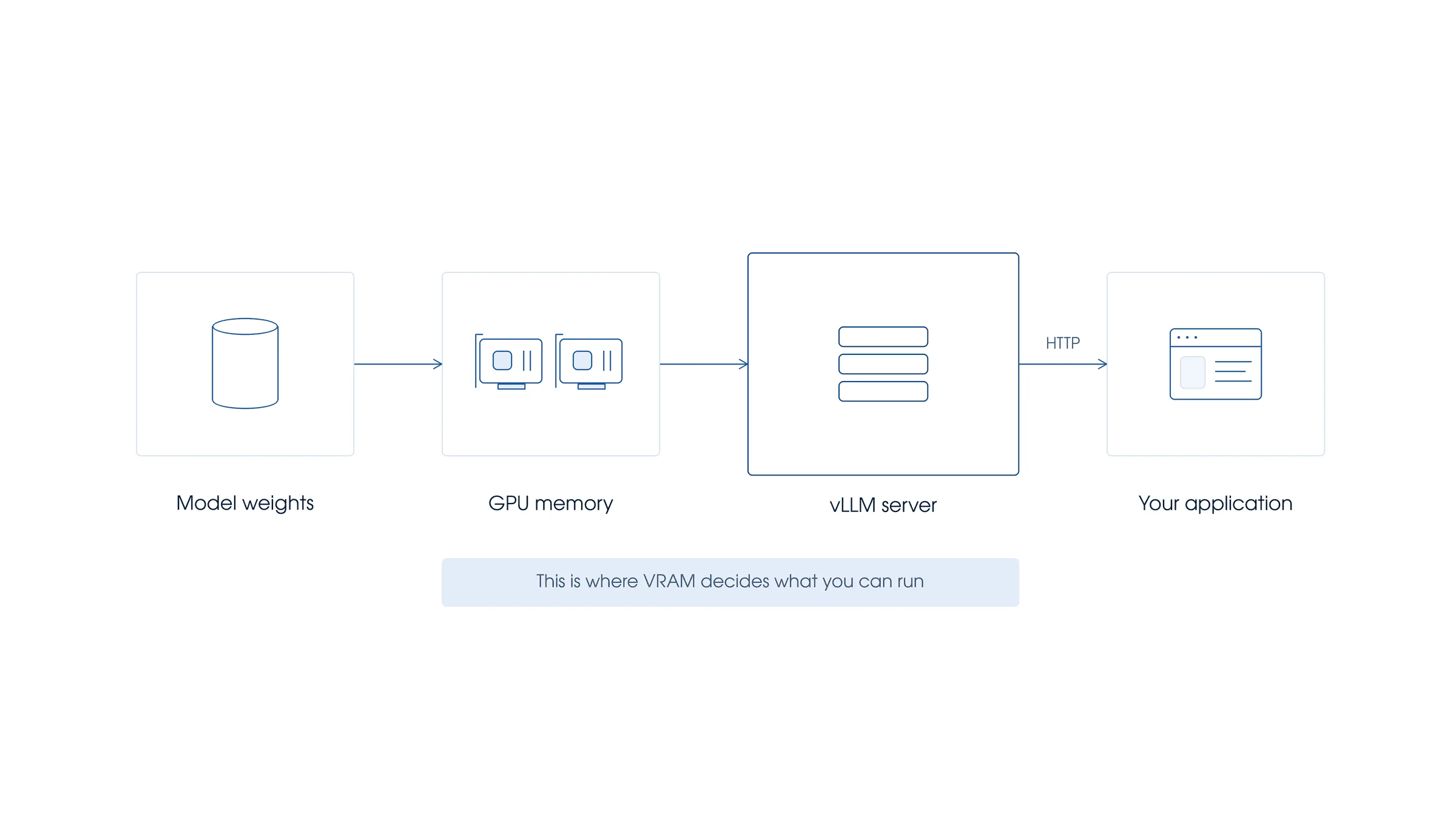
vLLM is an inference and serving engine for large language models. Its main value is not that it “adds DeepSeek” to your computer; its value is that it can serve supported model checkpoints efficiently through an HTTP server. vLLM provides an OpenAI-compatible server, which means many apps that already use an OpenAI-style chat completions client can be pointed at a local vLLM base URL such as http://localhost:8000/v1.
For DeepSeek models, this matters because the larger releases are not small desktop models. DeepSeek-V4-Pro, DeepSeek-V4-Flash, DeepSeek-V3.2, DeepSeek-V3, and full DeepSeek-R1 are serious deployment targets. Serving them well can involve data parallelism, expert parallelism, tensor parallelism, GPU-specific kernels, long-context tuning, model-specific tokenizer modes, model-specific tool parsers, reasoning parsers, and careful benchmarking.
vLLM also includes reasoning-output support for reasoning-style models. In current vLLM documentation, reasoning models return an additional reasoning field. Older examples may use reasoning_content, but current vLLM guidance says to migrate to reasoning.
DeepSeek API vs DeepSeek with vLLM vs Ollama
These three options solve different problems. Do not choose vLLM only because it sounds more technical. Choose it when the deployment tradeoff makes sense.
| Topic | Official DeepSeek API | DeepSeek with vLLM | Ollama or beginner local setup |
|---|---|---|---|
| Best for | Hosted production use, app integrations, API keys, billing, and minimal infrastructure work. | Private or self-hosted serving, GPU-backed inference, experimentation, benchmarking, and scalable internal endpoints. | Simple local testing, personal desktop use, and beginner-friendly model running. |
| Who manages infrastructure? | DeepSeek manages the hosted API infrastructure. | You manage the server, GPUs, drivers, model files, networking, logs, scaling, and security. | You manage a simpler local runtime on your machine. |
| API compatibility | DeepSeek provides OpenAI-compatible and Anthropic-compatible API formats for its hosted platform. | vLLM provides an OpenAI-compatible HTTP server for supported models. | Depends on the local runtime and wrapper you use. |
| Current hosted model choice | Use deepseek-v4-flash or deepseek-v4-pro for text, and deepseek-v4-flash-vision-exp for supported image-and-text input. The hosted Files API is image-only. | Use only the checkpoint you actually serve, such as deepseek-ai/DeepSeek-V4-Flash-0731, deepseek-ai/DeepSeek-V4-Pro-0813, deepseek-ai/DeepSeek-V3.2, or an R1-Distill checkpoint; hosted Vision and Files do not transfer automatically. | Usually choose smaller or quantized models that fit local hardware. |
| Retired hosted names | deepseek-chat and deepseek-reasoner passed their July 24, 2026 retirement deadline. | A local alias with the same text exists only if you deliberately map it with --served-model-name; that does not restore the hosted contract. | Runtime-specific. |
| Hardware requirement | No local GPU requirement for the user. | Depends on model size. Full DeepSeek V4 / V3 / R1 models are advanced distributed deployment targets. | Usually better for smaller local models and consumer machines. |
| Reasoning output field | DeepSeek thinking mode uses reasoning_content in the official API response. | vLLM’s current reasoning output guidance uses reasoning; older examples may show reasoning_content. | Depends on model and runtime support. |
| Thinking mode toggle | With the OpenAI SDK, pass extra_body={"thinking": {"type": "enabled"}} and use model="deepseek-v4-pro" or model="deepseek-v4-flash". | Use the model-specific vLLM parser and request guidance for the checkpoint you serve. Do not assume provider-specific hosted API parameters behave identically on vLLM. | Runtime-specific. |
| Tool calling caveats | Follow the official DeepSeek API behavior and docs. | vLLM behavior may differ in details such as parser flags, unsupported strict mode, and empty tool_calls lists versus None. | Often less standardized and more model/runtime-specific. |
| FIM / suffix behavior | DeepSeek FIM Completion Beta uses the official beta completions endpoint with prompt and suffix. | Do not assume DeepSeek FIM behavior maps directly to vLLM. vLLM’s OpenAI-compatible Completions API notes that the suffix parameter is not supported. | Runtime-specific. |
| Cost model | Token-based API billing. | You pay for your own infrastructure, storage, bandwidth, engineering time, monitoring, and operations. | You pay mainly through local hardware, electricity, and time. |
For hosted API usage, read the DeepSeek API guide. For simple local use, start with DeepSeek local install with Ollama. Continue with this guide if you specifically want a vLLM DeepSeek server.
Which DeepSeek model should you use with vLLM?
The best model depends on your goal. Do you want a small proof of concept? A reasoning endpoint? A long-context agentic model? A production-scale internal service? The answer changes the checkpoint.
Current V4 releases: DeepSeek-V4-Flash-0731 and DeepSeek-V4-Pro-0813
DeepSeek-V4-Flash-0731 and DeepSeek-V4-Pro-0813 are the current official V4 release checkpoints. Their model cards say they supersede the unsuffixed preview repositories, which should now be used only when reproducing preview-era results.
For the official hosted API, the text model IDs are deepseek-v4-flash and deepseek-v4-pro. The experimental deepseek-v4-flash-vision-exp is a separate hosted image-understanding route with text output; DeepSeek’s Vision and Files documentation does not make it a corresponding vLLM checkpoint. For self-hosting, use only a compatible Hugging Face checkpoint ID or the served model name configured on your vLLM server.
Current vLLM recipes describe V4 self-hosting as an advanced, hardware-specific GPU workflow. The release/DSpark paths require vLLM 0.25.0 or newer and may use model-specific tokenizer, tool-call, reasoning, expert-parallel, and speculative-decoding settings. Generate the command for your exact hardware profile instead of reusing a preview-era Docker tag.
DeepSeek-V3.2
DeepSeek-V3.2 remains relevant to many DeepSeek deployment discussions, especially where teams already built around V3.2 recipes. Its model card describes significant chat-template updates, a revised tool-calling format, and thinking with tools. vLLM provides a dedicated DeepSeek-V3.2 recipe that includes tokenizer mode, tool-call parser, and reasoning parser flags for this model family.
DeepSeek-V3.2 is not a beginner laptop target. Treat V3.2 commands as reference patterns, then adapt them to your actual GPUs, model format, vLLM version, context length, backend, and benchmark results.
DeepSeek-V3.2-Speciale
DeepSeek-V3.2-Speciale should be treated differently from standard V3.2. The official model card says Speciale is designed for deep reasoning tasks and does not support tool calling. If your app requires tools, agent loops, or automated function calls, do not choose Speciale as your default.
DeepSeek-R1 and DeepSeek-R1-0528
DeepSeek-R1 is the major reasoning-focused DeepSeek release. The full R1 family is a serious infrastructure target, not a normal laptop deployment.
DeepSeek-R1-0528 is a later R1 update. If you are comparing R1 variants, use our DeepSeek R1 guide rather than turning this vLLM article into a model-history page.
DeepSeek-R1-Distill models
For a first vLLM test, a DeepSeek-R1-Distill checkpoint is usually more practical than a full DeepSeek MoE model. The distill family includes smaller checkpoints based on Qwen and Llama backbones, such as DeepSeek-R1-Distill-Qwen-1.5B, DeepSeek-R1-Distill-Qwen-7B, DeepSeek-R1-Distill-Qwen-14B, DeepSeek-R1-Distill-Qwen-32B, and larger variants. Smaller distilled models are better for validating your vLLM workflow before investing time in distributed serving.
| Goal | Suggested starting point | Notes |
|---|---|---|
| Confirm vLLM works | DeepSeek-R1-Distill-Qwen-1.5B | Good for testing the server and client flow. Not representative of large-model quality. |
| Local reasoning experiment | R1-Distill 7B, 14B, or 32B | More useful than 1.5B, but memory needs rise quickly. |
| Current V4 self-hosting experiment | deepseek-ai/DeepSeek-V4-Flash-0731 | Current Flash release; still an advanced data-center GPU workflow. Select a current hardware-specific recipe. |
| Largest current V4 self-hosting path | deepseek-ai/DeepSeek-V4-Pro-0813 | Current Pro release; advanced multi-GPU deployment. Follow its model card and current vLLM recipe. |
| V3.2 tool-use experiment | deepseek-ai/DeepSeek-V3.2 with vLLM V3.2 parser flags | Do not use V3.2-Speciale for tool calling. |
| Beginner local chat | Ollama or LM Studio | Usually easier than vLLM. |
| Hosted production app | Official DeepSeek API | Usually less operational work than self-hosting. |
For a broader comparison of model families, use the DeepSeek models hub. For a V3.2-specific overview, use the DeepSeek V3.2 guide.
Before you start: requirements and expectations
Serious vLLM deployment is usually done on Linux servers or GPU workstations. You should be comfortable with Python environments, NVIDIA CUDA or AMD ROCm compatibility, GPU drivers, Hugging Face model downloads, containers, and basic server operations.
Keep these expectations clear before you start:
- Model size controls feasibility. A small distilled model and a full MoE model are completely different deployment problems.
- Full DeepSeek models are not beginner laptop targets. Do not promise users that DeepSeek-V4-Pro, DeepSeek-V4-Flash, DeepSeek-V3.2, DeepSeek-V3, or full DeepSeek-R1 will run well on a normal consumer machine.
- V4 serving is new and moving fast. Follow the current vLLM DeepSeek V4 guidance and recipe website before production use.
- Recipes change quickly. vLLM’s interactive recipes.vllm.ai builder is a better place to check current commands for specific hardware than old copied blog snippets.
- Drivers and backend compatibility matter. Verify your vLLM version, Docker image, PyTorch backend, CUDA or ROCm setup, and GPU support before production deployment.
- Use environment variables for secrets. Do not hard-code Hugging Face tokens, API keys, internal tokens, or access credentials in scripts.
- Check the model card and license. Model availability, license details, recommended parameters, and chat templates can change.
- Benchmark your own workload. Prompt-heavy, output-heavy, long-context, and tool-heavy applications behave differently.
Install vLLM
The generic vLLM installation path uses a clean Python environment. The exact command can change across vLLM versions and hardware platforms, so check the official vLLM installation docs before deploying to production.
uv venv --python 3.12 --seed
source .venv/bin/activate
uv pip install vllm --torch-backend=auto
For the current Flash-0731 and Pro-0813 release/DSpark reference path, the official model cards require vLLM 0.25.0 or newer and model-specific flags. Treat the commands below as the documented 4×GB300 reference profile, not a universal launch recipe. For other hardware, choose a current hardware-specific vLLM recipe instead of reusing an old Docker image or preview-era command.
Option A: serve DeepSeek-V4-Flash-0731 with vLLM
DeepSeek-V4-Flash-0731 is the current Flash release checkpoint. The command below is the official model-card 4×GB300 reference profile and requires the release/DSpark path on vLLM 0.25.0 or newer; it is not a universal command for every GPU layout.
vllm serve deepseek-ai/DeepSeek-V4-Flash-0731 --trust-remote-code --kv-cache-dtype fp8 --block-size 256 --data-parallel-size 4 --enable-expert-parallel --moe-backend deep_gemm_mega_moe --attention-config '{"use_fp4_indexer_cache": true}' --speculative-config '{"method":"dspark","num_speculative_tokens":7,"draft_sample_method":"greedy"}'Before deployment, select the profile for your hardware from the current vLLM DeepSeek-V4-Flash recipe, review the model card, and verify the served ID through /v1/models. Do not reuse the retired preview-era Docker image.
Option B: serve DeepSeek-V4-Pro-0813 with vLLM
DeepSeek-V4-Pro-0813 is the current Pro release checkpoint. The command below is the official model-card 4×GB300 reference profile and requires the release/DSpark path on vLLM 0.25.0 or newer; choose a different current recipe when your hardware differs.
vllm serve deepseek-ai/DeepSeek-V4-Pro-0813 --trust-remote-code --kv-cache-dtype fp8 --block-size 256 --data-parallel-size 4 --enable-expert-parallel --moe-backend deep_gemm_mega_moe --attention-config '{"use_fp4_indexer_cache": true}' --speculative-config '{"method":"dspark","num_speculative_tokens":7,"draft_sample_method":"greedy"}'Use the current vLLM DeepSeek-V4-Pro recipe to select a hardware-specific profile. GPU generation, count, memory, model format, context, and backend choices can change the correct launch configuration; confirm the API name through /v1/models.
Option C: serve a DeepSeek-R1-Distill model with vLLM
A distilled model is still the safest first test because it lets you validate the vLLM server, OpenAI-compatible client calls, and reasoning parser behavior before you move to larger checkpoints.
Example command based on vLLM’s reasoning-output workflow:
vllm serve deepseek-ai/DeepSeek-R1-Distill-Qwen-1.5B \
  --reasoning-parser deepseek_r1
This starts a local vLLM server and enables the DeepSeek R1 reasoning parser. Larger distilled checkpoints may require more GPU memory, more careful context settings, tensor parallelism, or model-specific parameters. Do not assume a command that works for a 1.5B checkpoint will work unchanged for a 32B or 70B checkpoint.
For a larger R1-Distill example, the official DeepSeek R1 model card has shown this vLLM serving pattern:
vllm serve deepseek-ai/DeepSeek-R1-Distill-Qwen-32B \
  --tensor-parallel-size 2 \
  --max-model-len 32768 \
  --enforce-eager
Use that as a reference pattern, then adapt it to your actual GPUs, memory, context length, and serving target.
Option D: serve DeepSeek-V3.2 with vLLM
Serving DeepSeek-V3.2 with vLLM is an advanced deployment path. The vLLM DeepSeek-V3.2 recipe includes model-specific flags for tokenizer handling, tool calling, and reasoning parsing. A reference launch pattern looks like this:
vllm serve deepseek-ai/DeepSeek-V3.2 \
  --tensor-parallel-size 8 \
  --tokenizer-mode deepseek_v32 \
  --tool-call-parser deepseek_v32 \
  --enable-auto-tool-choice \
  --reasoning-parser deepseek_v3
Because DeepSeek-V3.2 has significant chat-template changes, do not remove the DeepSeek-specific tokenizer and parser flags unless you have verified that your vLLM version, model format, and serving target no longer require them.
The vLLM recipe also describes EP/DP mode as a recommended serving mode in some contexts because kernel behavior and throughput tradeoffs can differ from plain tensor parallel serving. A simplified reference command is:
vllm serve deepseek-ai/DeepSeek-V3.2 \
  -dp 8 \
  --enable-expert-parallel
This is not a beginner single-laptop command. It is a reference for advanced multi-GPU serving. Hardware generation, GPU count, attention backend, model format, context length, and vLLM version can all change the right launch configuration.
Call your vLLM DeepSeek server with the OpenAI Python client
One of the main reasons developers use vLLM is the OpenAI-compatible server. After your model is served, you can call it with the OpenAI Python client by changing the base URL to your local server.
For vLLM, the model value must match the name exposed by your server. If --served-model-name is omitted, vLLM uses the --model argument; if it is set, use the configured served name. Probe the runtime before copying the client example:
curl http://localhost:8000/v1/models
from openai import OpenAI

client = OpenAI(
    base_url="http://localhost:8000/v1",
    api_key="EMPTY",
)

MODEL = "deepseek-ai/DeepSeek-V4-Flash-0731"

response = client.chat.completions.create(
    model=MODEL,
    messages=[
        {"role": "user", "content": "Explain vLLM in one paragraph."}
    ],
)

print(response.choices[0].message.content)
If you started vLLM with an API key such as --api-key token-abc123, use that token in the client. If your local setup accepts a dummy key, EMPTY is often used in examples. Do not confuse a local vLLM API key with an official DeepSeek API key.
Official DeepSeek API example: use current text model IDs
The official hosted DeepSeek API is different from a local vLLM server. The text-only example below uses deepseek-v4-pro; deepseek-v4-flash is the other current text model. Image requests instead use deepseek-v4-flash-vision-exp and the interface-specific Vision schema—do not send hosted file_id values or hosted model IDs to a local vLLM endpoint.
from openai import OpenAI

client = OpenAI(
    api_key="YOUR_DEEPSEEK_API_KEY",
    base_url="https://api.deepseek.com",
)

messages = [
    {"role": "user", "content": "Explain the difference between hosted DeepSeek API and vLLM self-hosting."}
]

response = client.chat.completions.create(
    model="deepseek-v4-pro",
    messages=messages,
    reasoning_effort="high",
    extra_body={"thinking": {"type": "enabled"}},
)

message = response.choices[0].message
print("reasoning_content:", getattr(message, "reasoning_content", None))
print("content:", message.content)
Do not use model="deepseek-chat" or model="deepseek-reasoner" in a new hosted client. DeepSeek announced that both IDs were discontinued on July 24, 2026; use a current V4 ID and handle an unavailable-model response instead of silently falling back.
Hosted Vision and Files are not local vLLM features
deepseek-v4-flash-vision-exp accepts image plus text input and returns text. The current hosted feature matrix lists JSON Output, Tool Calls, Responses API, Anthropic API, and Chat Prefix Completion; FIM Completion is not supported. The hosted DeepSeek API accepts an external image URL, a Base64 data URL, or an image uploaded to DeepSeek’s Files API and referenced by file_id. The Files API is image-only; it is not a general PDF/DOCX upload service, File Search, a vector store, or a batch API.
Those are provider-side DeepSeek features. As of August 25, 2026, DeepSeek’s official Hugging Face organization and the current vLLM DeepSeek recipe catalog do not list a downloadable DeepSeek-V4-Flash-Vision-Exp checkpoint. Do not pass the hosted ID to vllm serve, and do not expect a local vLLM server to expose DeepSeek’s /files endpoint. For local images, select a separately supported multimodal checkpoint and follow that model’s vLLM recipe.
Reasoning output: reasoning vs reasoning_content
This is one of the most important integration details. The official DeepSeek API thinking mode exposes reasoning output as reasoning_content. vLLM’s current reasoning-output guidance uses reasoning and notes that reasoning_content was the older vLLM name. Third-party wrappers may vary, so check the runtime and client library you are actually calling.
For vLLM, read reasoning like this when the client exposes the field:
from openai import OpenAI

client = OpenAI(
    base_url="http://localhost:8000/v1",
    api_key="EMPTY",
)

MODEL = "deepseek-ai/DeepSeek-R1-Distill-Qwen-1.5B"

response = client.chat.completions.create(
    model=MODEL,
    messages=[
        {"role": "user", "content": "Which is greater, 9.11 or 9.8?"}
    ],
)

message = response.choices[0].message
reasoning = getattr(message, "reasoning", None)
content = message.content

print("reasoning:", reasoning)
print("content:", content)
Do not build brittle applications that depend only on manually splitting raw <think>...</think> text. Use the structured fields your server returns, and add fallback handling because client libraries may not expose every non-standard field in exactly the same way.
Thinking mode and tool-calling caveats
DeepSeek thinking and tool-use behavior differs depending on whether you are calling the official DeepSeek API or a vLLM server.
When you use the official DeepSeek API with the OpenAI SDK, use a current V4 model ID and pass the thinking parameter through extra_body:
response = client.chat.completions.create(
    model="deepseek-v4-pro",
    messages=messages,
    tools=tools,
    reasoning_effort="high",
    extra_body={"thinking": {"type": "enabled"}},
)
When using a vLLM server, use the model-specific vLLM launch flags and request guidance for the exact checkpoint you serve. The tokenizer, tool-call and reasoning parser flags are checkpoint-specific and are not part of the V4 reference profiles in Option A and Option B above, which follow the official model-card 4×GB300 command as published. The flag family appears in the V3.2 recipe in Option D, as --tokenizer-mode deepseek_v32, --tool-call-parser deepseek_v32, --enable-auto-tool-choice and --reasoning-parser deepseek_v3. Take the flags for the checkpoint you are actually serving from that checkpoint’s current vLLM recipe rather than copying them between model generations.
For DeepSeek-V3.2 with vLLM, the vLLM recipe uses chat template kwargs for thinking mode:
response = client.chat.completions.create(
    model="deepseek-ai/DeepSeek-V3.2",
    messages=messages,
    tools=tools,
    extra_body={"chat_template_kwargs": {"thinking": True}},
)
There is another practical difference: vLLM recommends the reasoning field for thinking output, while the official DeepSeek API uses reasoning_content. The vLLM DeepSeek-V3.2 recipe also notes that when no tool call exists, vLLM may return tool_calls as an empty list, while the official DeepSeek API may return None. Handle both cases in your application code.
tool_calls = response.choices[0].message.tool_calls

if tool_calls:
    for call in tool_calls:
        print("Tool call:", call)
else:
    print("No tool calls returned.")
Finally, remember that DeepSeek-V3.2-Speciale is designed for deep reasoning tasks and does not support tool calling according to the official model card. Do not choose Speciale for an agent workflow that depends on tool invocation.
OpenAI-compatible API limitations to remember
vLLM is OpenAI-compatible, not a clone of DeepSeek’s hosted platform. Compatibility describes request shapes; it does not guarantee provider-feature parity. Check the exact checkpoint, vLLM version, parser, and endpoint before building a product around it.
- Model discovery: use
GET /v1/modelsas the authoritative source for the model names this running server accepts. - Chat Completions and Responses: current vLLM online-serving documentation includes both for suitable text models; actual support still depends on the loaded checkpoint and chat template.
- Completions: supported for text generation models, but vLLM’s docs note that the
suffixparameter is not supported. - No DeepSeek Files endpoint: a local vLLM server does not expose DeepSeek’s provider-side
/filesAPI and cannot resolve a hosted DeepSeekfile_id. - Multimodal input: vLLM can serve supported multimodal checkpoints, but that does not add vision to the current text-only DeepSeek V4 release weights. Follow the selected checkpoint’s own recipe.
- Extra parameters: vLLM can accept non-OpenAI parameters through
extra_body, but hosted DeepSeek-only fields are not automatically implemented. - Generation config: vLLM may apply
generation_config.jsonfrom the Hugging Face repository by default. Check--generation-config vllmwhen you need vLLM defaults. - Chat templates: if a model lacks the needed template or parser support, chat requests may fail or behave differently than expected.
- Tool calling: parser behavior and constrained-decoding details can vary by model and by
tool_choicemode.
Benchmarking and performance checks
Do not judge vLLM performance from a single prompt in a terminal. Benchmark the workload you actually plan to run. A documentation QA bot, a coding assistant, a long-context research tool, and an agent loop with tool calls can have very different bottlenecks.
vLLM includes serving benchmark tooling. A DeepSeek-V3.2 recipe-style benchmark pattern looks like this:
vllm bench serve \
  --model deepseek-ai/DeepSeek-V3.2 \
  --dataset-name random \
  --random-input-len 2048 \
  --random-output-len 1024 \
  --request-rate 10 \
  --num-prompts 100
Watch these metrics:
- TTFT: time to first token. This matters for interactive chat.
- TPOT: time per output token. This affects generation speed.
- Output token throughput: important for batch and high-volume usage.
- Failed requests: a sign of overload, configuration issues, or memory problems.
- Concurrency: how performance changes as simultaneous users increase.
- Context length: long prompts can change memory and latency dramatically.
- Tool-loop overhead: agent workflows may spend time outside the model server while tools run.
Use official benchmark examples as reference points only. Your hardware, model format, context length, concurrency, backend, request shape, and server state will determine the real result. Do not compare hosted DeepSeek API latency directly with a local vLLM server unless you control for model, context, region, caching, hardware, and request shape.
Security notes before exposing a vLLM server
A local vLLM server is still an API server. Treat it like production infrastructure if other people, apps, or networks can reach it.
- Do not expose
localhost:8000or0.0.0.0:8000publicly without authentication and network controls. - Use a firewall, private network, VPN, or service mesh for internal endpoints.
- Use
--api-keyor an upstream gateway if the endpoint is shared. - Put a reverse proxy, TLS, request limits, and rate limits in front of external or team-facing deployments.
- Do not log sensitive prompts, customer data, secrets, or proprietary code unless your policy explicitly allows it.
- Validate tool-call arguments before executing shell, file, database, or network tools.
- Separate model-serving permissions from repository, CI, database, and production credentials.
- Monitor failed requests, abnormal token usage, long generations, and unexpected tool-call patterns.
Common errors and troubleshooting
1. The model is too large or the server runs out of memory
Reduce model size, use a distilled checkpoint, lower --max-model-len, reduce batch/concurrency settings, or move to a larger multi-GPU setup. Do not treat full DeepSeek models as normal consumer-GPU workloads.
2. Wrong tensor, data, or expert parallel settings
Large DeepSeek MoE models may require careful parallelism choices. Tensor parallelism can help latency in some setups, while data parallelism plus expert parallelism can be better for high-load MoE serving. Start from official vLLM recipes, then benchmark.
3. Missing or outdated vLLM version
DeepSeek V4, DeepSeek-V3.2, and R1-style support can depend on current vLLM features such as tokenizer mode, tool-call parser, reasoning parser, and model-specific kernels. Upgrade vLLM or follow the current recipe if you see parser, template, or model-loading errors.
4. CUDA, ROCm, Docker image, or driver mismatch
Check your GPU driver, PyTorch backend, vLLM install method, and container image. A command that works on one CUDA stack may fail on another. For non-CUDA platforms, use the official vLLM installation page and hardware-specific recipes rather than copying a CUDA-specific command.
5. Reasoning field is missing
Confirm that the model is a reasoning-capable model, that you started vLLM with the correct --reasoning-parser, and that your client can access non-standard response attributes. For DeepSeek-R1-Distill, use --reasoning-parser deepseek_r1. For DeepSeek V4, follow the current vLLM V4 guidance.
6. Tool calls do not match the official DeepSeek API behavior
Handle both None and empty-list cases for tool_calls. Check whether you are using the official API or vLLM, because field names and no-tool behavior can differ.
7. Context length is too high
Long context increases memory pressure and latency. Lower --max-model-len for testing, then increase it carefully only when your use case requires it. A model advertising long-context capability does not mean your hardware can serve that context efficiently.
8. First token is slow
Large model loading, cold starts, long prompts, prefix caching behavior, and high concurrency can all affect first-token latency. Benchmark both cold and warm server states.
9. Output differs from the official DeepSeek API
Self-hosted checkpoints, vLLM generation config, model card sampling recommendations, chat templates, quantization, hardware, runtime version, and request parameters can all change output. If you need exact official hosted behavior, use the official DeepSeek API rather than a self-hosted approximation.
10. A tutorial command no longer works
vLLM and DeepSeek recipes move quickly. Check the current vLLM installation docs, the current DeepSeek recipe, the vLLM blog, and the model card. Treat commands in old blog posts as historical examples, not production defaults.
vLLM vs Ollama vs official DeepSeek API: which should you choose?
Use Ollama if you want the easiest beginner local workflow and you are working with smaller or quantized models. It is usually the better first stop for non-infrastructure users.
Use the official DeepSeek API if you want hosted production access, API keys, billing, current V4 text IDs, or experimental Vision image understanding without GPU operations. Use the image-only Files API only to store supported images for hosted Vision requests.
Use vLLM if you need private serving, high-throughput inference, batching, GPU/distributed deployment, custom checkpoint control, benchmarking, or an OpenAI-compatible server running under your infrastructure. It is more powerful, but it also requires more operational responsibility.
Next steps
| If you want to… | Go here |
|---|---|
| Try prompts without local installation | official DeepSeek Chat |
| Use hosted developer access | DeepSeek API guide |
| Compare model families | DeepSeek models hub |
| Understand V4 | DeepSeek V4 |
| Understand V3.2 | DeepSeek V3.2 guide |
| Understand R1 | DeepSeek R1 guide |
| Estimate hosted API cost | DeepSeek API cost reference |
| Run a simpler local setup | Ollama local guide |
| Use a local desktop UI | LM Studio guide |
| Check outages | DeepSeek status checker |
Final recommendation
Start small. Validate your vLLM installation with a small DeepSeek-R1-Distill checkpoint, confirm that the OpenAI-compatible endpoint works, check reasoning output handling, and run a small benchmark. After that, move to larger DeepSeek checkpoints only when your hardware and use case justify the added complexity.
If you need current hosted reliability and less operational work, use deepseek-v4-flash or deepseek-v4-pro for text and deepseek-v4-flash-vision-exp for hosted image understanding. If you need beginner local usage, use Ollama or LM Studio. If you need self-hosted, scalable, OpenAI-compatible DeepSeek serving, use a published checkpoint such as DeepSeek-V4-Flash-0731 or DeepSeek-V4-Pro-0813 with a current vLLM recipe.
Official sources and version boundary
The hosted API contract, downloadable model cards, and vLLM runtime documentation change independently. Recheck the relevant primary source before copying a production command or allowlist.
- DeepSeek API change log
- DeepSeek current hosted models and pricing
- DeepSeek Vision guide
- DeepSeek Files API guide
- DeepSeek-V4-Flash-0731 model card
- DeepSeek-V4-Pro-0813 model card
- Current vLLM Flash recipe
- Current vLLM Pro recipe
- vLLM engine arguments
- vLLM online serving documentation
FAQ
Can I run DeepSeek with vLLM?
Yes. The current official V4 release checkpoints are DeepSeek-V4-Flash-0731 and DeepSeek-V4-Pro-0813; vLLM can also serve supported R1-Distill and V3-series checkpoints. Feasibility depends on the exact model, hardware, vLLM version, and recipe. Vision Exp is a hosted API model, not a listed downloadable V4 checkpoint.
Is vLLM the official DeepSeek API?
No. vLLM is an independent open-source inference and serving engine. The official DeepSeek API is hosted by DeepSeek. Running DeepSeek with vLLM means self-hosting an open-weight checkpoint, not using DeepSeek’s hosted API directly.
Which model names should I use for the official DeepSeek API?
Use deepseek-v4-flash or deepseek-v4-pro for text, and deepseek-v4-flash-vision-exp for supported image-and-text input. The former deepseek-chat and deepseek-reasoner aliases passed their July 24, 2026 retirement deadline. Hosted IDs and Files API references are not local vLLM checkpoint names.
Which model name should I use in a local vLLM request?
Use the exact name returned by GET /v1/models. When serving the current official V4 releases directly, the defaults are deepseek-ai/DeepSeek-V4-Flash-0731 and deepseek-ai/DeepSeek-V4-Pro-0813; --served-model-name can override them. Hosted IDs and Files references are not local checkpoint names.
Which DeepSeek model should I start with in vLLM?
For a first test, start with a small DeepSeek-R1-Distill checkpoint such as deepseek-ai/DeepSeek-R1-Distill-Qwen-1.5B. It is more practical for validating setup than a full DeepSeek MoE model.
Can I run full DeepSeek V4 on a normal PC?
Do not assume that. DeepSeek V4 self-hosting is an advanced deployment target. vLLM’s reference commands for V4 use high-end data-center GPU setups. Use smaller distilled models for local experiments unless you have the right infrastructure.
Does DeepSeek-V3.2-Speciale support tool calling?
No, according to the official model card, DeepSeek-V3.2-Speciale is designed for deep reasoning tasks and does not support tool calling. Use standard DeepSeek-V3.2 if your workflow depends on tool use, and still verify parser behavior in your own runtime.
How do I get reasoning output from vLLM?
Start vLLM with the correct reasoning parser, such as --reasoning-parser deepseek_r1 for DeepSeek-R1-Distill or the current model-specific parser for V4/V3.2. Then read response.choices[0].message.reasoning from the client response when available.
What is the difference between reasoning and reasoning_content?
The official DeepSeek API thinking mode uses reasoning_content. vLLM’s current reasoning output guidance uses reasoning and notes that reasoning_content was the older vLLM name. Check which server you are calling before writing integration code.
Does DeepSeek with vLLM support tool calling?
Supported DeepSeek checkpoints can use tool calling when vLLM is launched with the correct tool parser and auto-tool-choice flags. Behavior can differ from the official API, so validate parser output and handle empty tool-call cases safely.
Should I use vLLM or Ollama?
Use Ollama for easier beginner local setup. Use vLLM for developer or infrastructure serving, especially when you need throughput, batching, distributed GPUs, benchmarking, or an OpenAI-compatible private endpoint.
Should I use vLLM or the official DeepSeek API?
Use the official DeepSeek API if you want hosted access without managing GPUs. Use vLLM if you need self-hosting, private infrastructure, checkpoint control, custom serving behavior, or internal benchmarking.
Is DeepSeek with vLLM free?
The model weights may be open-weight, but serving is not free. You pay through GPUs, storage, bandwidth, electricity, engineering time, monitoring, and maintenance.
Do I need an API key for a local vLLM server?
Local vLLM examples often use a dummy key such as EMPTY. If you start vLLM with an API key, your client must send that key. Do not confuse a local vLLM key with an official DeepSeek API key.
Can vLLM reproduce the official DeepSeek API exactly?
Not necessarily. A self-hosted checkpoint can differ because of model version, chat template, parsing, generation config, quantization, hardware, runtime version, and request parameters. If you need official hosted behavior, use the official DeepSeek API.
Can I use DeepSeek FIM Completion through vLLM?
Do not assume the official DeepSeek FIM Completion Beta maps directly to vLLM. DeepSeek’s official FIM feature uses the beta completions endpoint with prompt and suffix, while vLLM’s OpenAI-compatible Completions API notes that suffix is not supported. For official DeepSeek FIM behavior, use the official DeepSeek API.