Seek-Chat: DeepSeek vs Perplexity: Which AI Tool Should You Use for Research, Coding, and Everyday Work?
DeepSeek official API documentation rechecked: August 24, 2026. Any observation explicitly dated July 29, 2026 remains a historical snapshot. Perplexity vendor claims retain their existing verification boundary unless a newer primary-source check is stated beside the claim. This is a documentation-based comparison, not a matched benchmark of answer quality. Recommendations below identify product features to evaluate, not proven research or coding winners.
Competitor source check — September 7, 2026. Perplexity’s API pricing documentation was re-read on this date and confirms Sonar at $1 input / $1 output per 1M tokens, Sonar Pro at $3 / $15, Sonar Reasoning Pro at $2 / $8, and Sonar Deep Research at $2 / $8 with $2 citation tokens, $5 per 1,000 search queries and $3 reasoning tokens. Perplexity’s consumer, Max and Enterprise subscription pages and its model-availability help article return 403 to non-browser requests and could not be re-read; those figures are our record of the check stated beside them, not re-verified quotations.
DeepSeek and Perplexity change quickly. Model names, pricing, limits, and privacy terms should always be verified on the official pages before you make a purchasing, engineering, or business-data decision.
Quick comparison: documented product fit
Evaluate Perplexity when you want an integrated search-and-citation workflow. Its documented features cover web discovery, research modes, and source links; their presence does not establish that its answers are more accurate. Perplexity describes itself as an AI-powered search engine that searches the web in real time and returns conversational answers backed by citations and original source links.
Evaluate DeepSeek when you need direct model access, long-context input, or open-weight deployment options. Coding, reasoning, cost, and image quality should be evaluated on the exact model and task. The V4 text releases remain Pro and Flash, while the current hosted API also includes the experimental deepseek-v4-flash-vision-exp for text-and-image understanding with text output.
Perplexity combines search and answer-generation workflows; DeepSeek provides model APIs, chat, and published weights. Their features overlap, including web search on DeepSeek Responses. A combined workflow is one option, but this page does not show that using both improves accuracy or saves time. Check original sources and test the complete workflow before adopting it.
Current DeepSeek API snapshot
DeepSeek’s current hosted API catalog contains three IDs. Flash and Pro accept text. The experimental Vision Exp model accepts text and supported images and returns text. All three list a 1M context window and a 384K general maximum output.
| DeepSeek API model | Input | Workload to evaluate | Account-wide concurrency |
|---|---|---|---|
deepseek-v4-flash | Text | Text, coding, extraction, and routine agents; evaluate quality, latency, and cost | 2,500 |
deepseek-v4-pro | Text | Text reasoning and coding; evaluate against the task contract | 500 |
deepseek-v4-flash-vision-exp | Text and supported images; text output | Experimental screenshot, chart, interface, and image understanding | 2,500 |
DeepSeek vs Perplexity comparison table
| Category | DeepSeek | Perplexity | Documented fit to evaluate |
|---|---|---|---|
| Core purpose | Model family, chat product, API platform, and open-weight model release | AI search/research assistant with citations, live web retrieval, and model orchestration | Depends on task |
| Research | Responses has server-side web_search, but DeepSeek is not primarily a citation-first research engine | Built around source-backed answers, live web search, Pro Search, and Research mode | Perplexity for research workflow |
| Current information | Responses can run provider-side search; Chat Completions has no hosted search tool | Real-time web search is central across the product and search APIs | Perplexity for search-first use |
| Citations | Search output still needs claim-level verification and application provenance | Provides links and citations; claim support still needs verification | Perplexity |
| Coding | Direct model APIs and open-weight options for coding and agent applications | Useful for researching docs, framework changes, and code explanations; less of a pure coding model platform | DeepSeek |
| Long-context work | DeepSeek V4 lists 1M context length | Sonar Deep Research lists 128K context in API docs | DeepSeek for raw context |
| API usage | Chat and stateless Responses APIs; all three current model IDs support Responses | Search API, Sonar API, Agent API, embeddings, and web-grounded responses | DeepSeek for model routing; Perplexity for retrieval products |
| Pricing/value | Low token prices with a Monday–Friday peak/off-peak schedule | Token, search, and request fees vary by product and task | Depends on whether search is needed |
| Privacy/business use | Official consumer services have PRC processing and storage disclosures. Open Platform applications, third-party hosting, and self-hosting require separate assessments. | Individual, Enterprise, and Sonar API terms differ. Perplexity’s official plan documentation says Enterprise Pro/Max and Sonar API data is not logged or used for training. | Perplexity documents its enterprise and API commitments more explicitly; the final decision depends on the exact product and deployment |
| Example audience | Developers, technical users, model experimenters, cost-sensitive API builders | Researchers, students, analysts, marketers, journalists, founders, and knowledge workers | Depends on workflow |
Different product layers
Comparing DeepSeek and Perplexity is partly asymmetric.
DeepSeek is closer to an engine. It provides models, a chat interface, an API, and open-weight releases that developers can integrate into apps, coding agents, automation tools, and local or private deployments. DeepSeek’s API documentation says its API is compatible with OpenAI and Anthropic API formats, and its current API examples use deepseek-v4-pro.
Perplexity is closer to a research workflow. It combines search, retrieval, model selection, source ranking, citations, and answer synthesis into one product. Its help center says responses include citations and links to original sources, and that content is sourced from the web in real time.
A simple way to think about it:
- DeepSeek helps you think, code, transform, and build.
- Perplexity provides search, source links, citations, and discovery tools.
Compare the exact product surface rather than the brand name alone. A citation-oriented interface, a direct model API, and a self-hosted checkpoint solve different integration problems; none of those categories determines answer quality.
When to evaluate DeepSeek
You need direct coding and reasoning model access
DeepSeek provides a model API and open-weight deployment options for coding and reasoning applications. Its V4 release notes describe Pro as focused on reasoning and agentic tasks and Flash as a faster, more economical option. These are provider descriptions, not a head-to-head finding against Perplexity.
Possible DeepSeek evaluation tasks include:
- Debugging a function or API integration
- Refactoring code with detailed constraints
- Explaining a complex algorithm
- Summarizing a long technical document
- Building an internal tool around an LLM API
- Running open-weight models through self-hosted or third-party infrastructure
You care about low API token costs
For high-volume model calls, compare the exact rate band and the cost of an accepted result. Current Flash and Vision Exp rates are $0.22 uncached input / $0.66 output off-peak and $0.44 / $1.32 at peak; current Pro rates are $0.66 / $1.98 off-peak and $1.32 / $3.96 at peak, with lower cache-hit input rates. Peak pricing applies Monday–Friday during 01:00–04:00 and 06:00–10:00 UTC (09:00–12:00 and 14:00–18:00 Beijing time). Every other time is off-peak; the complete current and historical table appears below.
For classification, extraction, summarization, or code assistance, measure actual input/output usage, retries, validation cost, and any search calls. A lower rate in one token category does not establish a lower total task cost.
You need long-context processing
DeepSeek’s current hosted model table lists a 1M context window for deepseek-v4-flash, deepseek-v4-pro, and deepseek-v4-flash-vision-exp. Flash and Pro accept text; Vision Exp accepts text and supported images and returns text. The linked V4 model card remains useful for the Pro/Flash text releases and open-weight layer, which should not be conflated with the hosted Vision ID.
That matters if you regularly work with:
- Text extracted from PDFs, or supported page images sent through an appropriate image route
- Large code files
- Multi-document analysis
- Long transcripts
- Technical specifications
- Contracts or policy documents that must be reviewed as a whole
A larger documented context window is a capacity difference, not a retrieval or reasoning-quality result. PDF and other document formats still need a supported ingestion or preprocessing route. Test whether the selected model uses the supplied evidence correctly.
You want open-weight flexibility
DeepSeek V4 is distributed through open-source repositories and API access, and its model card lists the open-source repository assets under the MIT License.
Published weights provide deployment and inspection options that are separate from a hosted consumer app. Evaluate the exact checkpoint, license, hardware, runtime, and operating costs before choosing self-hosting.
When to evaluate Perplexity
You need research with citations
Perplexity is designed to search the web, synthesize information, and show source links. Its help center describes citations and original-source links that readers can inspect. That supports a search-workflow use case, not a guarantee that each cited claim is correct or complete.
Possible Perplexity evaluation tasks include:
- Market research
- Academic source discovery
- News and policy monitoring
- Product comparisons
- Competitor research
- Fact-checking drafts
- Finding primary sources
- Building a sourced research brief
You need current information
Perplexity states that its search workflow retrieves web content as questions are asked. Verify publication dates, source quality, and whether the returned pages actually support the answer.
Example questions for a source-discovery workflow include:
- “What changed in this regulation this month?”
- “Which companies launched competing products recently?”
- “What are analysts saying about this market now?”
- “What are the newest docs for this framework?”
- “What sources support this claim?”
DeepSeek Responses also documents server-side web search. Compare its tool contract with the particular Perplexity product you would use, then test source coverage, claim support, freshness, and total cost on the same questions.
You want a documented multi-step research mode
Perplexity’s Pro Search is designed for complex questions. Its help center says Pro Search performs multiple searches, draws from sources such as articles, academic papers, forums, videos, and other content types, then synthesizes the information with direct source links.
Perplexity describes its research workflow as follows: Perplexity’s Research mode performs dozens of searches, reads hundreds of sources, reasons through the material, and produces a comprehensive report.
These are documented research-workflow features to evaluate. They do not establish that Perplexity finds better evidence than another search-enabled route or removes the need to inspect sources.
Research and citations: compare retrieval and claim support
This page does not establish a research-quality winner.
Perplexity provides retrieval, ranking, citations, and source inspection within its product. Evaluate those features by checking whether each material claim is supported, whether important evidence was omitted, and whether the cited source is appropriate for the question.
DeepSeek’s Responses API can invoke server-side web_search. A normal Chat Completions request is still model-only unless your application executes a function tool. In either case, current claims can be outdated or unsupported unless the retrieved sources are checked. DeepSeek’s own privacy policy warns that model outputs may not always be factually accurate and says users should not rely on factual accuracy without verification.
Illustrative workflow, not a test result:
For a market analysis, a search-enabled tool can help locate company pages, filings, news, and research. Open the relevant sources yourself, then use an approved model to organize the evidence or draft a memo. Check the draft against those sources before publication.
Coding and developer workflows: compare the integration and test results
DeepSeek offers direct model access, long-context capacity, and open-weight deployment options. Those features may meet a developer’s integration requirements, but they do not prove better code generation or debugging than Perplexity.
Perplexity documents developer uses such as finding current documentation, code interpretation, debugging, simulations, and technical explanations. Evaluate generated code with the same repository, tests, tool permissions, and review criteria rather than inferring quality from the product description.
One division of work to evaluate is:
- Use Perplexity to find documentation and external references, then inspect the original sources.
- Use DeepSeek to propose code or explanations from the approved context, then run tests and review the result.
Practical example:
A developer debugging a new framework issue might start with Perplexity to find recent docs, changelog discussions, and GitHub issues. After removing credentials and obtaining any required data approval, they could provide the relevant error, snippets, and constraints to DeepSeek, then test the proposed fix.
API comparison: model endpoints vs search-first APIs
DeepSeek and Perplexity both offer developer APIs, but they solve different problems.
DeepSeek API
DeepSeek’s API is designed for direct model access. Its current hosted catalog contains three model IDs: deepseek-v4-flash (V4-Flash-0731, Public Beta) and deepseek-v4-pro (V4-Pro-0813, GA) for text-only requests, plus deepseek-v4-flash-vision-exp (Experimental) for text and supported image input with text output. All three support Chat Completions and stateless Responses. Responses adds server-side web_search and text.format with json_schema; Chat Completions has no hosted search tool and uses json_object. For the OpenAI-compatible Chat Completions parameter reasoning_effort, DeepSeek’s current Thinking Mode table publishes the low → low, medium/high/xhigh → high, and max → max mapping specifically for Flash and Pro; do not extend that model-specific table to Vision Exp unless DeepSeek documents the same mapping for it.
DeepSeek API is a good fit for:
- Chatbots
- Coding agents
- Summarization pipelines
- Classification
- Extraction
- Long-document processing
- Internal productivity tools
- High-volume LLM tasks
Perplexity API
Perplexity’s API platform documents search and retrieval products for source-linked applications. Perplexity describes its Search API as real-time web search with ranked results, domain filtering, multi-query search, and content extraction. It describes Sonar as web-grounded chat completions and reasoning models.
Perplexity also offers an Agent API for workflows across supported frontier models with built-in web search, URL fetching, and reasoning controls. Its API pricing page says the Agent API provides access to third-party models from providers including OpenAI, Anthropic, Google, xAI, Z.AI, Moonshot AI, and NVIDIA.
Perplexity API is a good fit for:
- Search-powered apps
- Research assistants
- Due diligence tools
- Market intelligence products
- Citation-backed answers
- Retrieval-heavy workflows
- AI search experiences
- Fact-checking systems
Which API matches the required workflow?
Compare DeepSeek’s direct model and search-tool contracts with Perplexity’s Search, Sonar, and Agent products. Select candidates by the required input, output, tools, hosting, and data controls, then measure quality and total cost.
For example, summarizing internal tickets requires an approved data route and a measured extraction or summary contract. A web-research application additionally needs retrieval and claim-level source checks. These requirements do not by themselves identify the cheaper or more accurate provider.
Pricing and value: which is cheaper?
There is no single price comparison across raw generation, search requests, research workflows, and subscriptions. Use the exact model, token category, time band, and required tools when comparing the dated prices below.
DeepSeek’s current schedule uses peak rates Monday–Friday during 01:00–04:00 and 06:00–10:00 UTC (09:00–12:00 and 14:00–18:00 Beijing time). Every other time is off-peak. Prices below are USD per 1M tokens; historical pre-cutover rows are retained only as dated references.
| DeepSeek model and effective period | Cached input | Uncached input | Output |
|---|---|---|---|
| Flash — current off-peak | $0.007 | $0.22 | $0.66 |
| Flash — current peak, Monday–Friday only | $0.014 | $0.44 | $1.32 |
| Vision Exp — current off-peak | $0.007 | $0.22 | $0.66 |
| Vision Exp — current peak, Monday–Friday only | $0.014 | $0.44 | $1.32 |
| Pro — current off-peak | $0.022 | $0.66 | $1.98 |
| Pro — current peak, Monday–Friday only | $0.044 | $1.32 | $3.96 |
| Flash — historical through Aug 16, 15:59 UTC | $0.0028 | $0.14 | $0.28 |
| Pro — historical through Aug 16, 15:59 UTC | $0.003625 | $0.435 | $0.87 |
Perplexity’s API pricing is structured differently because it includes search and retrieval components. Its Search API is listed at $5 per 1,000 requests with no token costs, while Sonar pricing includes token costs plus request fees depending on search context size. Its pricing page lists Sonar at $1 input and $1 output per 1M tokens, Sonar Pro at $3 input and $15 output, and Sonar Deep Research at $2 input, $8 output, $2 citation tokens, $5 per 1,000 search queries, and $3 reasoning tokens.
For consumer subscriptions, Perplexity Pro is advertised at $20/month on Perplexity’s Pro perks page, while Perplexity Max costs $200/month or $2,000/year according to the official help center.
For enterprise subscriptions, Perplexity lists Enterprise Pro at $40 per seat per month or $400 per year, and Enterprise Max at $325 per seat per month or $3,250 per year.
Bottom line:
Compare complete task costs rather than assuming one provider is cheaper. Include token usage, search/request fees, retries, validation, engineering, and any measured time savings. Keep API charges separate from consumer and enterprise subscriptions.
Accuracy and hallucinations: citations help, but they do not solve everything
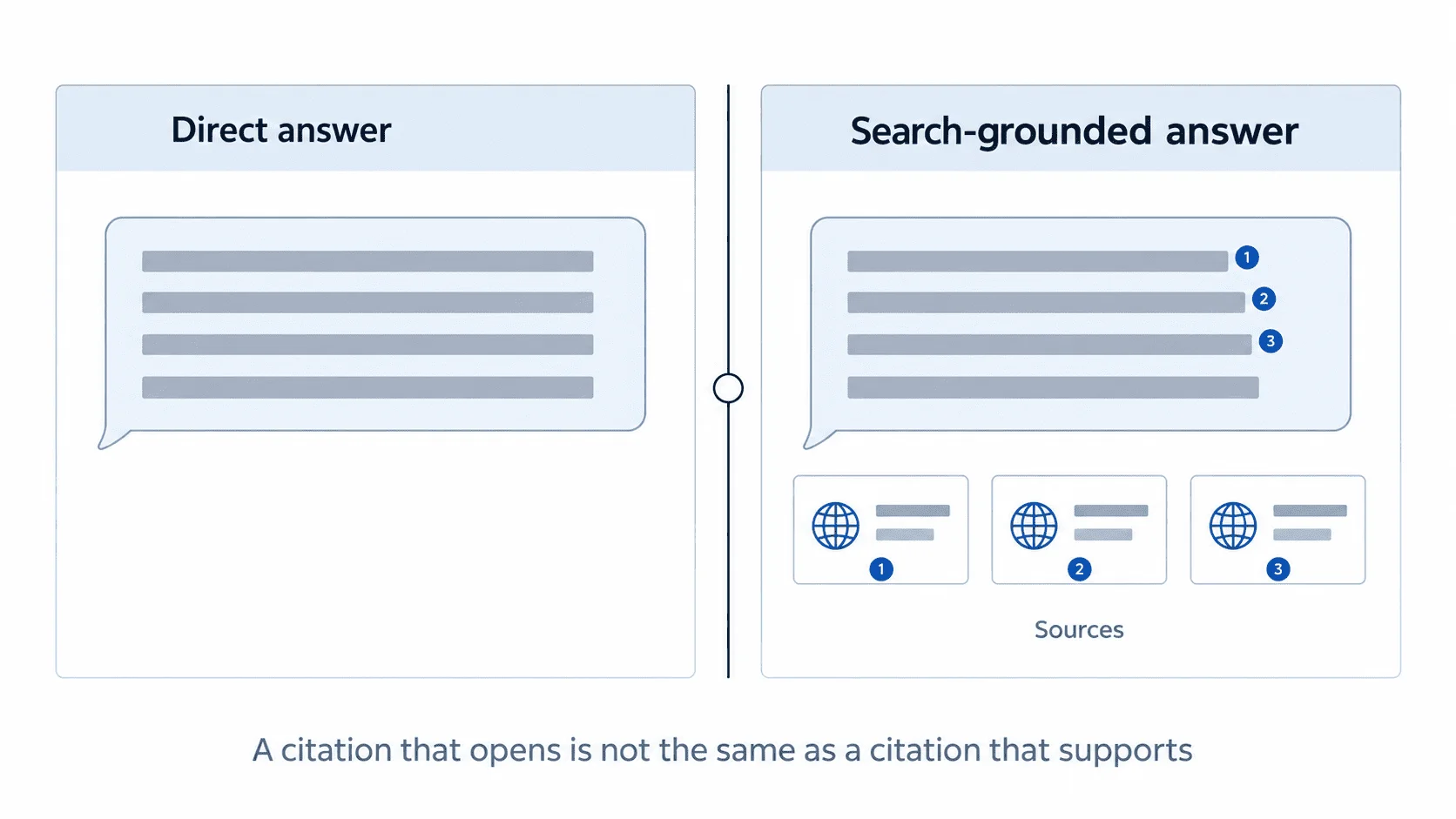
Source links can make an answer easier to inspect, but neither a citation nor a search-enabled product proves factual accuracy. A cited answer may misunderstand a source, omit context, overgeneralize, or rely on a weak page.
For code, math, or long-context analysis, evaluate the output against tests or supplied evidence. This page does not establish a DeepSeek reasoning advantage over Perplexity. Treat unsupported factual output from either product as a draft.
A source-checking workflow to consider is:
- Use Perplexity to gather current, source-backed information.
- Open the most important primary sources yourself.
- Use DeepSeek to reason over the material.
- Ask either tool to identify uncertainties, assumptions, and missing evidence.
- Verify anything related to money, law, health, security, compliance, or technical specifications.
For high-stakes work, never rely on either tool as the final authority.
Privacy and business data: compare equivalent products before uploading sensitive material
Privacy is an important difference between DeepSeek and Perplexity, but the comparison must separate consumer accounts, enterprise products, hosted APIs, third-party hosting, and self-hosting.
DeepSeek’s Privacy Policy applies to official services that link to it. For those covered services, it describes collection of user inputs, uploaded files, feedback, chat history, account and device information, and logs. It also describes training and service-improvement uses, an opt-out right, and direct processing and storage in the People’s Republic of China.
The policy expressly excludes processing rules for personal data collected from end users inside downstream applications built through the Open Platform. Under the Open Platform Terms, the downstream application operator must disclose its processing rules, establish an appropriate legal basis, and handle the applicable end-user privacy responsibilities.
Provider-side API processing still requires review of the platform terms, account and caching settings, logs, retention, architecture, support access, and any written contract. Third-party-hosted and self-hosted DeepSeek deployments have different data paths and should not inherit the official consumer-service conclusion automatically.
Perplexity’s privacy posture also varies by product. Its official plan comparison says users of Pro, Education Pro, and Max can opt out of data collection in their settings. It separately states that Enterprise Pro and Enterprise Max data, and Sonar API data, are not logged or used for training.
These commitments make Perplexity Enterprise and Sonar API easier to evaluate for some business workflows. They should not be presented as applying automatically to every individual account, integration, connector, uploaded persistent file, or third-party service. Buyers must review the exact plan and enabled features.
That does not mean every organization should automatically choose Perplexity. A fair evaluation should compare Perplexity Enterprise with an approved DeepSeek Open Platform, third-party-hosted, or self-hosted deployment—not solely with DeepSeek’s consumer policy. A secured self-hosted DeepSeek model may provide greater infrastructure control, while Perplexity Enterprise or Sonar may offer clearer managed-service commitments.
Never include passwords, API keys, private keys, session tokens, or other credentials in prompts or uploaded material. Separately, confidential customer information, private source code, legal documents, medical records, trade secrets, and regulated data require approval for the exact tool, plan, data flow, contract, retention, logs, and deployment route.
Use-case shortlist based on documented features
| Use case | Route to evaluate | Why |
|---|---|---|
| Quick factual lookup | Perplexity | Integrated access to web sources and citations; check freshness and claim support |
| Academic source discovery | Perplexity | Source discovery and citation trails; verify papers and quoted findings |
| Long PDF analysis | DeepSeek | Long-context input after supported text extraction or image preprocessing; test evidence use |
| Coding help | DeepSeek | Direct model APIs and deployment options; run matched code tests |
| Debugging a new framework issue | Use both | One optional workflow: discover documentation, then test a proposed fix |
| Market research | Perplexity | Source discovery followed by human verification |
| Competitive analysis | Perplexity first, DeepSeek second | An optional search-then-synthesis workflow, not a measured winner |
| API cost control | DeepSeek | Compare the exact model, rate band, usage, and accepted-task cost |
| Search-powered app | Perplexity | Search API and Sonar are designed for retrieval |
| Internal model experimentation | DeepSeek | Open-weight and API flexibility |
| Business research team | Perplexity | Enterprise controls, research workflows, citations |
| Sensitive regulated data | Neither by default | Use approved enterprise/private deployment only |
A practical workflow using both tools
Using both tools is an optional workflow, not a demonstrated best approach. The sequence below is illustrative and has not been measured against a single-tool alternative. Use it only if its quality, privacy, effort, and cost meet your requirements.
Step 1: Use Perplexity to collect sources
Ask Perplexity:
Find the most recent official and primary sources about [topic]. Prioritize company documentation, regulatory pages, research papers, and reputable news. Summarize the main claims and include citations.
Then open the most important sources yourself. Save the official pages, reports, or documents that matter.
Step 2: Use DeepSeek to analyze the material
Give DeepSeek the verified material and ask:
Analyze these sources. Extract the key differences, contradictions, assumptions, and decision criteria. Create a structured recommendation for [audience] with risks and next steps.
For long documents, code, product requirements, or comparisons, check that the resulting analysis retains the source facts and does not add unsupported claims.
Step 3: Find current sources and verify weak points yourself
Use a search-enabled tool to locate evidence for claims that may have changed:
Find current official sources for the pricing, model names, limits, and policy details in this draft. Identify statements that conflict with those sources and provide the relevant links. Do not mark a claim verified solely because a search result or citation exists.
Step 4: Use DeepSeek to polish the final output
Use DeepSeek to turn the verified research into a clean memo, code plan, article outline, technical spec, or executive summary.
This sequence adds explicit source review, but it does not guarantee fewer errors. Either product can introduce unsupported claims, and switching tools can also introduce omissions. Check the final text or code against the original evidence and task requirements.
Pros and cons
DeepSeek pros
- Direct model access and open-weight options for reasoning and coding applications
- Published model- and time-dependent API token rates
- 1M context length in current V4 documentation
- OpenAI/Anthropic-compatible API formats
- Open-weight deployment options
- Useful for developers, agent builders, and long-context workflows
DeepSeek cons
- Not primarily a citation-first research engine.
- Current factual claims require source checks, including when using Responses web search.
- Privacy and data-residency terms need careful review.
- The published legacy-alias transition deadline has passed; current integrations should use the documented V4 model IDs and continue monitoring DeepSeek’s change log.
- Consumer chat experience may not replace a dedicated research workflow.
Perplexity pros
- Integrated web search and source-linked answers.
- Citations make fact-checking easier.
- Pro Search and Research mode are designed for complex information gathering.
- Research features available for evaluation across student and professional workflows.
- Search API, Sonar API, and Agent API support retrieval-heavy products.
- Enterprise Pro, Enterprise Max, and Sonar API have explicitly documented no-logging and no-training commitments; individual plans have different settings and must be assessed separately.
Perplexity cons
- API usage can cost more than raw model calls
- Coding and long-context quality still require task-specific evaluation
- Citations still require human verification
- Model menus, limits, and subscription features change often
- Some advanced features may be plan-dependent
Final recommendation
Choose the product surface that meets your requirements, then validate it on representative tasks:
Evaluate Perplexity for an integrated research interface or its documented retrieval APIs. Check source coverage, claim support, freshness, plan limits, and data controls.
Evaluate DeepSeek for direct model APIs or published-weight deployment. Test coding, reasoning, document handling, and image tasks on the exact eligible model and route.
If you combine the tools, evaluate the full workflow:
Find evidence, inspect the original sources, generate a draft, and verify the result.
That process can be implemented with one or more approved tools. This comparison does not establish that the DeepSeek–Perplexity pairing is more accurate, faster, or cheaper.
FAQ: DeepSeek vs Perplexity
Is DeepSeek better than Perplexity?
This documentation-based comparison does not establish an overall or task-quality winner. DeepSeek provides model APIs and published weights; Perplexity provides integrated search/research workflows and retrieval APIs. Compare the exact surface and evaluate representative tasks before deciding.
Is Perplexity better than DeepSeek for research?
Perplexity documents an integrated search-and-citation workflow, while DeepSeek Responses also supports server-side web search. Those features identify routes to evaluate, not a proven research winner. Compare source coverage, freshness, claim support, and completeness on the same questions.
Which is better for coding, DeepSeek or Perplexity?
No matched coding benchmark on this page establishes a winner. DeepSeek’s model APIs and deployment options may match a coding integration; Perplexity’s search products may help locate current documentation. Run the same code tasks and tests before making a quality claim.
Which is cheaper, DeepSeek or Perplexity?
It depends on the model, input/output category, cache status, time band, search/request fees, and workflow. The listed prices do not establish that every DeepSeek rate is lower than every Perplexity rate. Compare total cost per accepted task and assess subscriptions separately.
Does DeepSeek have live web search like Perplexity?
DeepSeek now documents server-side web_search on the stateless Responses API for all three current model IDs. Chat Completions still has no hosted search tool. Perplexity remains the more search-first product: its consumer experience and APIs are built around retrieval, ranking, citations, and multi-step research rather than adding search as one optional model tool.
Does Perplexity use DeepSeek?
You should not assume that Perplexity uses DeepSeek unless Perplexity lists it in the current model picker or official documentation. Perplexity’s help article lists Sonar 2, GPT-5.6 Terra and Sol, Gemini 3.1 Pro, Claude Sonnet 5 and Claude Opus 5, Kimi K3, GLM 5.2, Grok 4.5, and Nemotron 3 Ultra. Availability depends on the user’s plan and product surface. That page blocks automated access, so we could not re-read it on September 7, 2026; it is reproduced as our record rather than a re-verified list.
Two of those entries are behind the model vendors’ own current catalogs, which is a property of Perplexity’s menu rather than a contradiction on this site. Checked against first-party documentation on September 7, 2026: xAI’s model list carries grok-4.6 and grok-4.20, not Grok 4.5, which is the generation our Grok comparison uses; and Google’s Gemini API model list carries gemini-3-pro-preview and gemini-3-flash-preview with no 3.1 Pro entry, which is why our Gemini comparison treats Gemini 3.1 Pro Preview as a historical model pair. OpenAI’s current catalog is the GPT-5.6 family, matching both this list and our ChatGPT comparison.
Can I use DeepSeek and Perplexity together?
Yes. One possible workflow uses Perplexity to find sources and DeepSeek to draft an analysis from approved material. Inspect the sources and verify the final output yourself. This page has not measured whether that pairing reduces errors, time, or cost.
Which is better for students?
For source discovery, evaluate a search-and-citation workflow such as Perplexity. For explanations, practice problems, or code, evaluate the exact assistant on the learning task. Neither is shown here to be better for all students; verify sources and follow institutional AI-use rules.
Which is better for developers?
For developers, compare required APIs, tools, deployment options, data controls, and task results. DeepSeek offers direct model access and published weights; Perplexity offers search/retrieval products. Neither product description establishes a general developer-quality winner.
Which is safer for business data?
Neither product is universally safer without reviewing the exact route. Perplexity’s current documentation provides explicit no-logging and no-training commitments for Enterprise Pro, Enterprise Max, and Sonar API. Individual Perplexity plans have different controls.
DeepSeek’s consumer Privacy Policy describes collection, training and improvement uses, an opt-out right, and PRC processing and storage for official services covered by that policy. It does not govern end-user processing inside downstream Open Platform applications. DeepSeek API applications, third-party hosting, and self-hosting must therefore be assessed separately.
For sensitive business data, choose only after comparing the operator, provider-side processing, contract, region, retention, training terms, logs, caching, subprocessors, access controls, deletion process, and security architecture.
What are the best alternatives to DeepSeek and Perplexity?
The best alternative depends on the job. For general AI chat, use a general-purpose assistant. For coding, use a code-first AI development tool. For private data, use an approved enterprise AI platform or self-hosted model. For research, use a citation-focused research assistant or traditional search combined with primary sources.